Sunday, October 29, 2006

Out-of-the-box: Brother DCP-115C

Ok, finally I've decided to retire my EPSON CX20 (which for that matter, decided for itself after not being detected by the PC, which from my research, EPSON printers are known for) and my Plustek EPP scanner (which I might say has been very cooperative all thru different Windows versions).

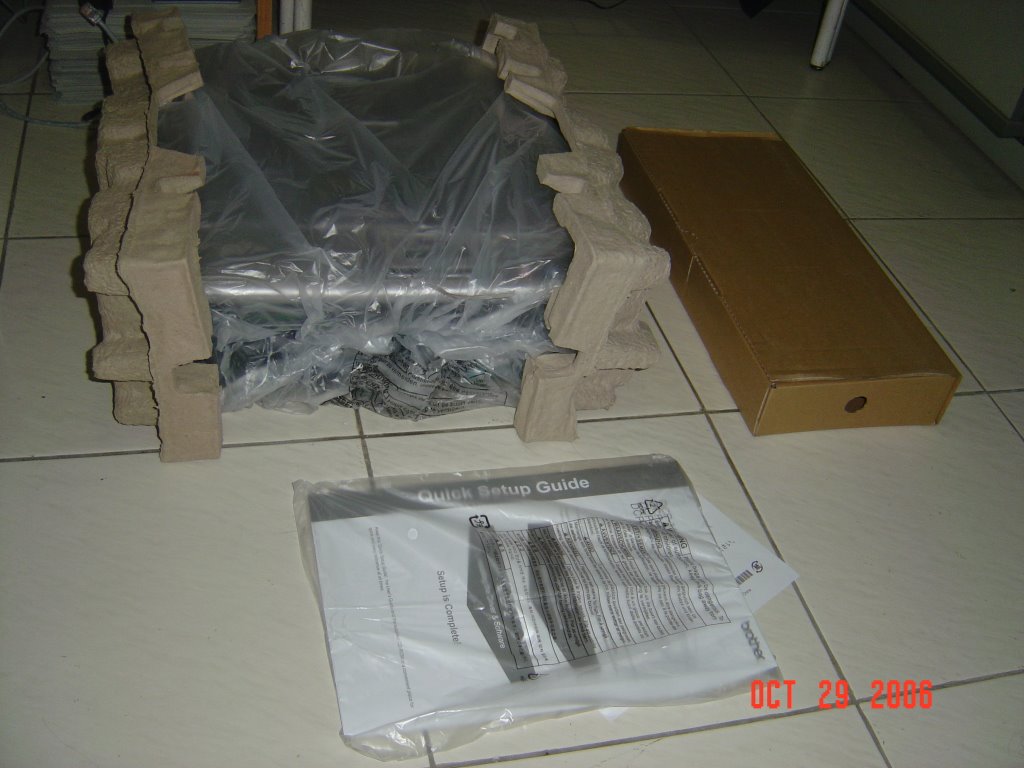
Today, I got myself a Brother DCP-115C. After long hours of convincing myself to get an all-in-one printer. Why this one? Well, I was choosing between, an HP, an EPSON, this one and a CANON Pixma MP160. the CANON definitely wins in the looks division, but much like an HP it falls on the ink price and practicality since it uses a tri-color cartridge, which at this point in time is not advisable. HP, Brother, EPSON wins in photo-printing, though I must admit that I'm very much biased for HP. EPSON and Brother on the other hand wins on the practicality side, both using an individual cartridge for it's inks. And of course the price, all of these printers are on the same price range but the Brother was a bit ahead on the features, for it has card-readers built-in (aside of course from the usual scanner, copier, printer modes).

Here are some pictures of the unboxing of the printer:

Wednesday, October 25, 2006

A CD/DVD burner for VISTA

Ever since I've installed Windows Vista (Beta, RC1 and RC2), I was limited to the built-in burner software or ImageBurn for my burning needs. Though these are capable softwares, there was still that void that I've been feeling. So I decided to try out NERO, but even after a "successful" install, whenever I launch it, it simply closes and VISTA gives me an error of "incompatability". Then I tried ROXIO, I thought it was ok, until at the end of installation, another error, something was missing from the installation file or something was corrupted. Then I decided to give it another try, this time, I copied it to my internal drive (since I kept it in my external drive). So lo and behold, it installed and is now running. Was able to burn an ISO image from it already. Whew!

Finally...a MOVIE from Windows Movie Maker

At last, I was able to create a movie from WINDOWS MOVIE MAKER. 

This is after years of wishing that I would be able to transfer my home videos into DVD, but eversince I was not satisfied with the quality of the movies that are produced. But after some tweaking I was able to make it and to consider I am using it in Windows Vista. Now to look for those old miniDV tapes and start the transfer.

Tuesday, October 24, 2006

ABS-CBN and INQ7 sleeping together?

Recently I've noticed that ABS-CBN news website has the same (almost identical) news to those found in INQ7.net Previously, most of the news came from either the news people of ABS-CBN or from their alliance with MANILA TIMES. INQ7 being partly a GMA network company, don't you think now it's odd (although not impossible) that rival networks are sharing the same stories?

Friday, October 20, 2006

Everybody's using iTunes? Maybe they should try out Songbird

Is it just me or most people with a computer has replaced their default music player from Windows Media Player and Winamp to iTunes? Well, I've observed it that even those who does not own an iPod has iTunes installed in their computers and are using it as their default music player.

Incidentally, in case you're one of the iTunes user that I'm talking about. Haven't you observed that iTunes7 would sometimes hug most of the resources of your RAM and Processor while surfing the net simultaneously? Well, a group of individuals built a Music Player that looks somewhat like iTunes but with a twist, it has a built-in browser in it. The browser is not just your typical browser, it's made from Firefox inards. And they called it SONGBIRD

Why not try surfing and listening to your favorite tunes at the same time with just one application open. The only gripe I have with SONGBIRD is it lacks the ever-famous Firefox feature, tabbed browsing. Hopefully, the developers would include it in the final release.

Thursday, October 19, 2006

The "new" Yahoo! Mail (beta)

As a techie, as much as possible, I would like to be one of the early adapters, but sometimes, it gets the most out of me. IN the case of Yahoo! Mail (beta), well, yeah it's got a nice UI, but it's sloooooowwwwww! And most of the time, it hugs the resources of my web browser. Well, I guess that's what I get for trying out a BETA service. Nonetheless it's the only gripe that I have for the moment.

INQ7.net News?

Recently, INQ7.net has not been very updated with their "news". Only the Headlines are updated while the other stories are left in their old states.

Is this a ploy to make the reading public back into physical newspaper or the webmasters are just upgrading to something larger and better?

Saturday, October 14, 2006

My Desktop

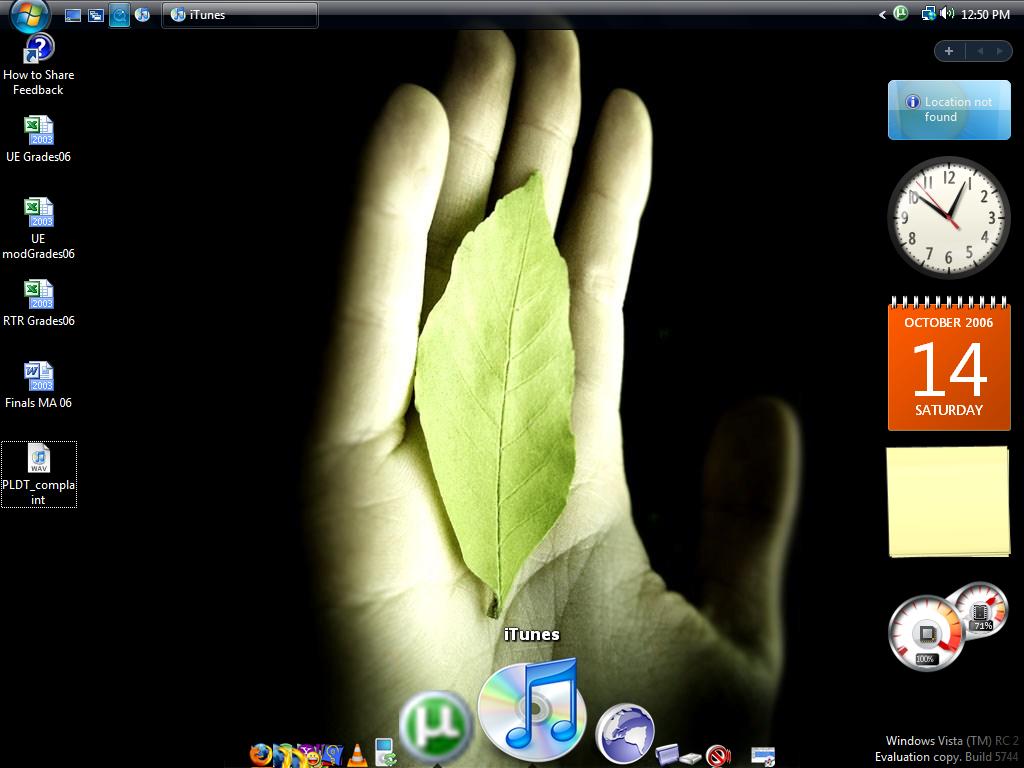
Ok, so this is how my desktop looks at the moment. It's on Windows VISTA RC2 (of course running AERO/GLASS interface). I've added the free ObjectDock for some Mac look although I don't think it's going to stay there for long.

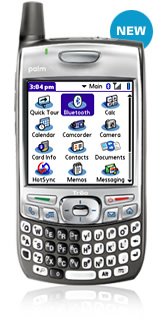
Palm has announced it's "competitively" priced smartphone that will be the cheaper version of the Treo 650. The Treo 680 is a Palm OS powered GSM/GPRS/EDGE smartphone. It now lacks the antenna but features an internal antenna instead and a hardware design similar to the Treo 750v.

It is powered by Palm OS Garnet v5.4.9. It runs a 312 MHz Intel processor and has 64MB of user available storage memory and 64MB of SDRAM. The screen is a 320 x 320 pixel color touch-screen display. The 680 features a full size SD slot for memory expansion. It has a slimmer 1200 mAh rechargeable battery for up to 4 hours talk time. Bluetooth v1.2 wireless and IR are included as well as a VGA digital camera (Palm's way of bringing down the price).

The phone is a GSM/GPRS/EDGE Class 10 device and has a internal quad-band (850/900/1800/1900) antenna.

An unlocked version of the Palm Treo 680 will be made avaiabe with four different color options exclusively from Palm.com or Palm Cafe retail locations. The colors include graphite, copper, article and crimson.

Now I wonder, which one to get. The Treo 680, the Sony Ericsson K800 or the Nokia E61. Soooo many choices.


Sunday, October 08, 2006

Installing VISTA RC2

I'm currently installing WINDOWS VISTA RC2 on my desktop.

Thanks to my external drives, I don't have to worry that my files/documents will get lost, by keeping one hard drive only for the OS and programs, I can install and re-format my PC as often as I like.

One of the downside is, I have to reinstall my programs. Oh, not to worry though, I've kept copies of these programs in my other hard drive and all I have to do is to double-click them to intall and that's it. I'll be waiting for some time before I could really give out an opinion on VISTA. But so far, with my experience with RC1, all I can say is, it's eye candy. Most of my programs work, but I'm having problems with networking, and those pop-up warnings are too annoying!!!!

UPDATE 1: I've said before this is the fastest Windows Install that I've ever done. The user inputs are right at the beginning of the installation process and after that it's all done. Now I'm waiting for it to update the performance settings.

UPDATE 2: Ok, I can't seem to find the AERO/GLASS option even though I have completed the requirements for it to run, still waiting for some changes. I had my 1st restart after the install. Oh and when I installed a new version of the Computer Associates Anti-Virus it cannot install on a VISTA machine, good thing I have a copy of the previous EZ-Trust software.

UPDATE 3: Finally, was able to load AERO/GLASS. After all the tweakings, all I have to do was to update the RATINGS of my system. Sheez!

UPDATE 4: There's a drawback in buying cheap peripherals, you don't get driver support from Windows VISTA hehehe. That's what I found out when I was installing the cheap Bluetooth USB dongle I bought at CD-R KING. Good thing I still have my trusty BILLIONTON Bluetooth Dongle and yup, as I've guessed it, VISTA recognized it. Now the next thing is to make my VEO Webcam work.

Saturday, October 07, 2006

Blogger Widget acting up

Just checking if this widget is still acting up. It's been sometime after I posted from this. Well, I guess it's working. Back to the regular posting then hehehehe

Sunday, October 01, 2006

A Humbling Milenyo Experience

During the 3 days of TOTAL NO POWER caused by storm MILENYO, I has some sort of "withdrawal" syndrome from technology. I checked my email and read news from my SE K600i mobile phone (good thing Globe did not lose signal in our place during the storm and post-storm event).

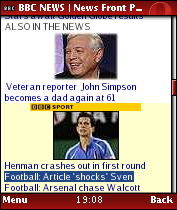
I charged my phone and the iPod from the cigarette socket in my car. In the span of those non-technology days, I was reliant on Opera Mini in my mobile phone. It's been very interesting how it render the usual web page into a small screen-size such as the K600i. Also Widsets were a lot of help when it comes to reading my usual Tech-sites such as Endgadget and Gizmodo.

Sunday, September 17, 2006

Installing Windows Vista Beta

Ok, I know, but the GEEK in me had to do it. I am planning of upgrading my 20GB hard drive in a couple of days, and since I've already sentenced my files and programs their untimely demise, might as well play around while waiting for that final urge to get a new hard drive.

I've installed Windows VISTA beta 2 on my desktop PC. I made sure I am ready to encounter bugs and stressors along the way, but then again it's still beta right.

First off, my VISTA is AERO-less, since the built in video graphics card of my motherboard is not VISTA-compatible. Well, it's only AERO that I'll miss. Then after the quite "quick" installation process, then starts the "re-installation" of my apps and drivers. Was able to install almost all except for my Bluetooth dongle which VISTA forcefully shuts down and NO drivers where available on the net. Speaking of missing drivers, there are no AVG Free VISTA compatible apps. So I have to do with Computer Associates' EZ Trust for the meantime. Though Palm Desktop installed without a hitch, it can't seem to recognize my Palm Zire 72 and the iTunes shortcut icon seem to have wondered away, all I can see on my desktop is the generic icon of windows. Then there was the annoying NOTIFICATION feature of VISTA. Everytime a software would do something, VISTA would ask or inform me about it and would ask if the process is permitted. Heck even the moving of an icon to the Trash Bin is being confirmed.

Then when I tried to re-map my Documents folder to the other internal HDD, yeah it re-mapped it but that's about it. It re-mapped only the Documents folder but not it's sub-directory. So when I thought that the Music folder is within Documents and I started to copy all my music files into it, the shock that I felt was unexplainable as my HDD got full of the mp3 files. Heck I found out that I still have to manually re-map that Music folder for it not to save in my OS HDD.

Friday, September 15, 2006

Buggy iTunes 7

Right after it was announce and available in the Apple website, I downloaded the new iTunes 7 to both my PC and Mac. And of course, coupled with that, I immediately tried to update my 5G iPod with the new firmware hoping to increase my battery life, but most importantly, I wanted to personally find out if the new firmware will include the new "search" function of the new generations of iPod and iPod Nanos.

Since most of my music library is in my Windows PC Desktop, I decided to update my iPod in Windows (also because my iPod is configured to sync with my Windows Desktop). The first problem I encountered, after plugging my iPod into the USB port is, iTunes DID NOT recognize the iPod, so I pulled it out and plugged it again but this time, I closed the iTunes program. This time, my iPod was detected. So I proceeded and clicked the UPDATE button, after a minute or so, an error popped-out telling me that there are some errors in my iPod. Shit! I tried it again without closing iTunes and just like the first problem, iTunes did not launch automatically and thus my iPod was NOT detected again. So I decided to use my Mac, and with iTunes 7 installed, it did not detect my iPod, after some pulling out and plugging in again it finally detected my iPod and said that the software needs some updating. Of course I clicked yes and waited, then another error. I decided to go the RESTORE option and luckily (again) it went ok. Now I have the new firmware in my 5G iPod. I pulled it out from the Mac and plugged it in again in my WinBox to restore the music files lost during the "restoration" of the firmware. Yup the Windows iTunes 7 can now detect my iPod and updating went on. After some time (around 1600++ mp3's), I yanked it out from the USB port to check the improvements. NO SEARCH option!!!!! My Video Podcasts were not synchronized!!!! That is still up to now!!!! How buggy can one get?!!!!

FREE WiFi at Figaro Legaspi Village

I've taken a rest from my usual "lunch" at Coffee Bean & Tea Leaf and had it instead at Figaro Legaspi Village Makati. It's supposed to be a WIZ Hotspot but today I cannot seem to get any signal from the shop's WIZ routers. But lo and behold, I was able to get a "faint" wireless signal from another router (although I'm not sure if it's the same router that Figaro uses, but I find this unusual since the signal is very weak) this is perhaps coming from one of the condos in the area. Anyways, as always, I tried connecting using that router and I'm CONNECTED. The speed is enough to let time pass as I wait for my next class. Faster than dial up but definitely not blazing fast. The only downside is, I can't move to the more comfortable couches for fear of loosing the coveted signal.

Thursday, September 14, 2006

And APPLE did it again!!!


And once again, software and hardware manufacturer did it again.
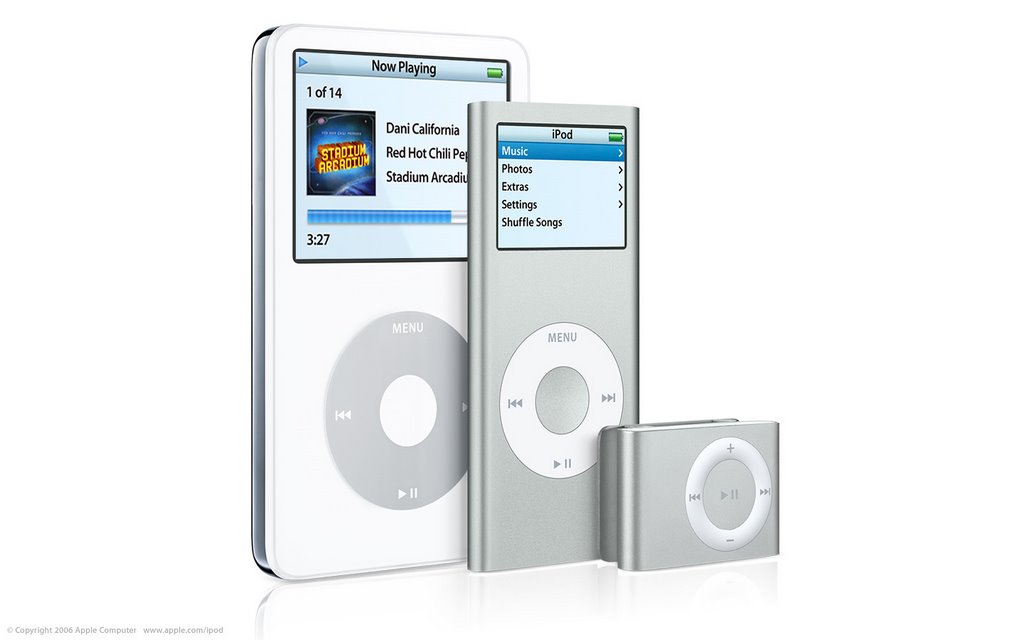
Apple, in their September 12 Showtime event launched 3 kinds of new iPods, iTunes 7, Movies downloads from iTunes Store (no more "Music" in the middle) and a Media Center wireless hub.

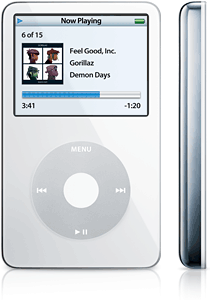
Apple bumped the specs of the 5G iPod with brighter screen, a search function, longer battery life, new 80GB capacity and capable of playing games (well actually all 4G and 5G iPods can play the downloaded games from iTunes). But the design is still the same as the version 1 of the 5G iPod.

On the other hand the iPod Nano has been "remastered" and now sports an iPod Mini-like aluminum anodized case. And it comes in 5 colors too (Silver, Pink, Green, Blue and Black). It comes in 2GB (silver only), 4GB (all colors except black) and 8GB (black) versions. Brighter screen, can play games downloaded from iTunes Store, has a Search function and longer battery life, from the 14hours in the 1st Gen Nano now battery time lasts for 24hours.

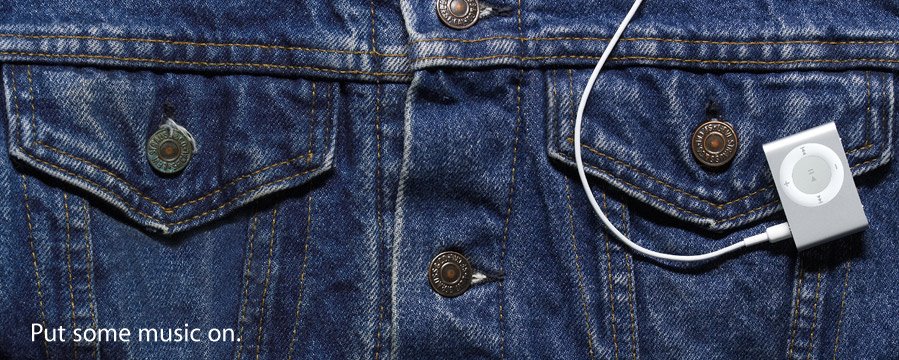
The 2nd Gen Shuffle is the big surprise. Nobody predicted this coming. Apple has gone away with the USB stick design and instead shifted to a clip with an mp3 player. The new shuffle is smaller, thinner and prettier. Still doesn't have a screen, in only one model, 1GB capacity, instead of USB connectivity, it now comes with it's own teeney-weeney cradle. At $75, this portable player is going to be a hit. Even those who already own big capacity iPod had hinted that they are going to get one of these babies (including me of course).

Then Steve Jobs, announced a preview of a product that will compete with Microsoft's Windows Media Center. They've given it an iTV codename. The box looks a lot like Apple's Mac mini but a lot thinner. It has all the multimedia connections at the back and can connect to a computer (PC or Mac) that has iTunes thru wired ethernet or wireless 802.11 connectivity and access it's contents and play it on a TV that is attached to the box. It's basically Front Row on TV.

Sunday, September 03, 2006

Out of the Box: SEAGATE 160GB External Drive

At last I am able to log into Blogger. I thought I will never be able to post this here. Anyways, here it goes.

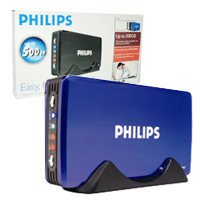
I am now at 60% full in this new drive and a lot of people are saying that this is already one big drive. Well, I was really after a big drive, but not an external one. But then I saw this Philips external drive enclosure which made me think twice about having to install it internally. I fell in love with how it looked. So I decided to get one and just get a 160GB 3.5 hard drive and assemble it myself. But, as it would go always, I can't find the enclosure. So I decided to drop the plan and look for a built external drive.

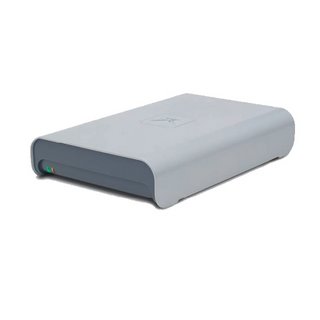


I came across 3 kinds of branded external drives. The Seagate 160GB external drive and two (2) 100GB Maxtor external drives , the Maxtor Basics™ Personal Storage 3200 and the Maxtor Personal Storage 3100 (older version but sleeker).

So I decided to get the Seagate for the simple reason that it got a good money per gigabite out of it. Now here are the Out-of-the-Box pictures.

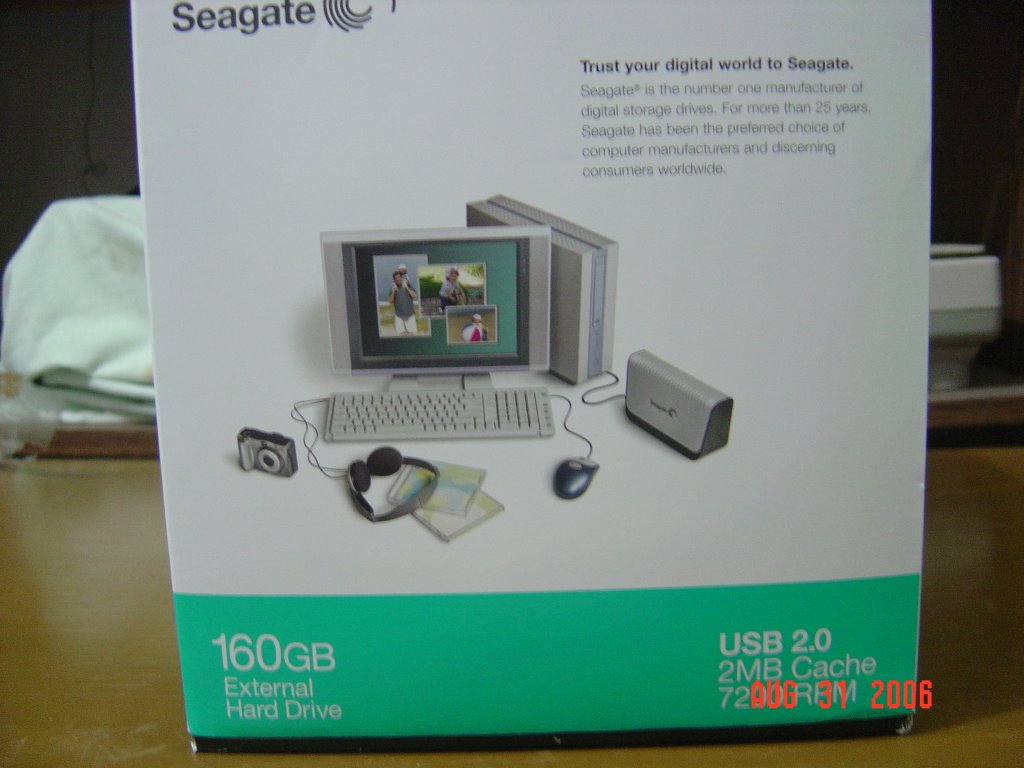
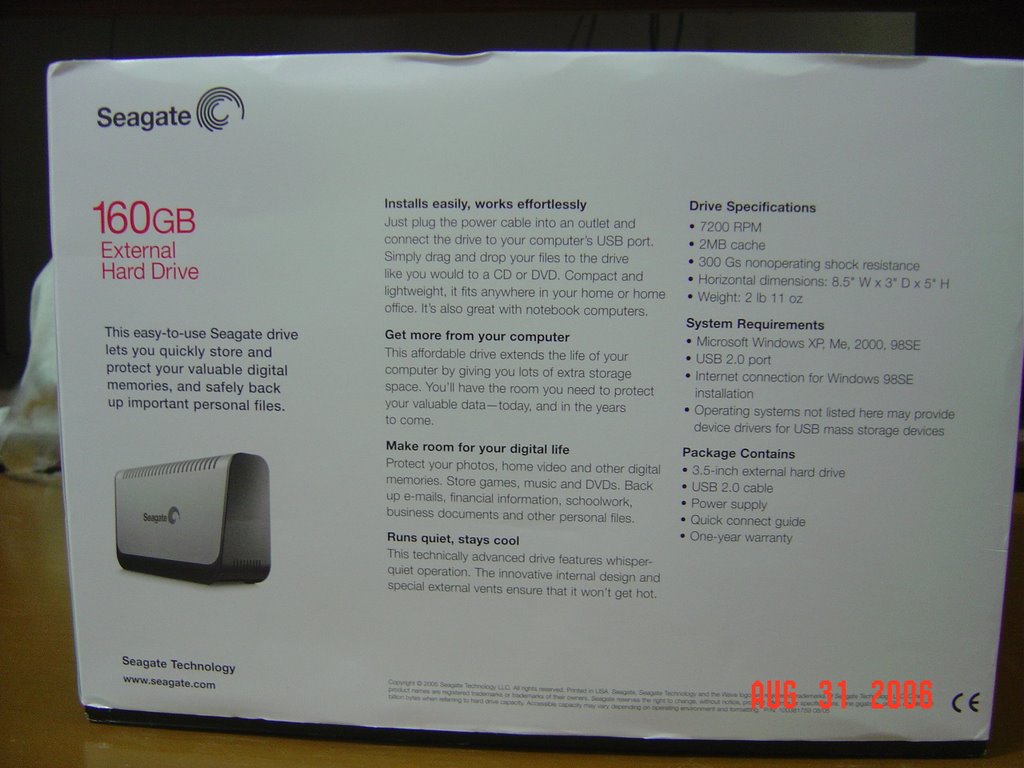
This is the Front side of the package. As you can see, it's not as "sexy" as the Maxtor, but it'll do.This is one of the side. gives you an idea on how big it is.
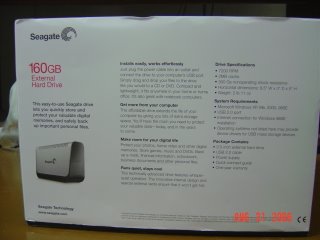
Specs on one of the sides too!
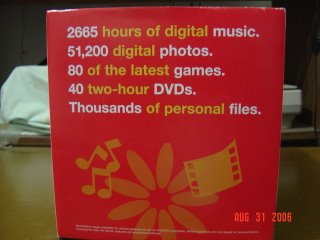
And of course one of the sides (yeah it's got lots of sides since it's a box/cube in case you didn't know), has the colorful ads for multimedia capabilities.
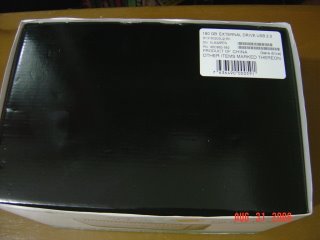
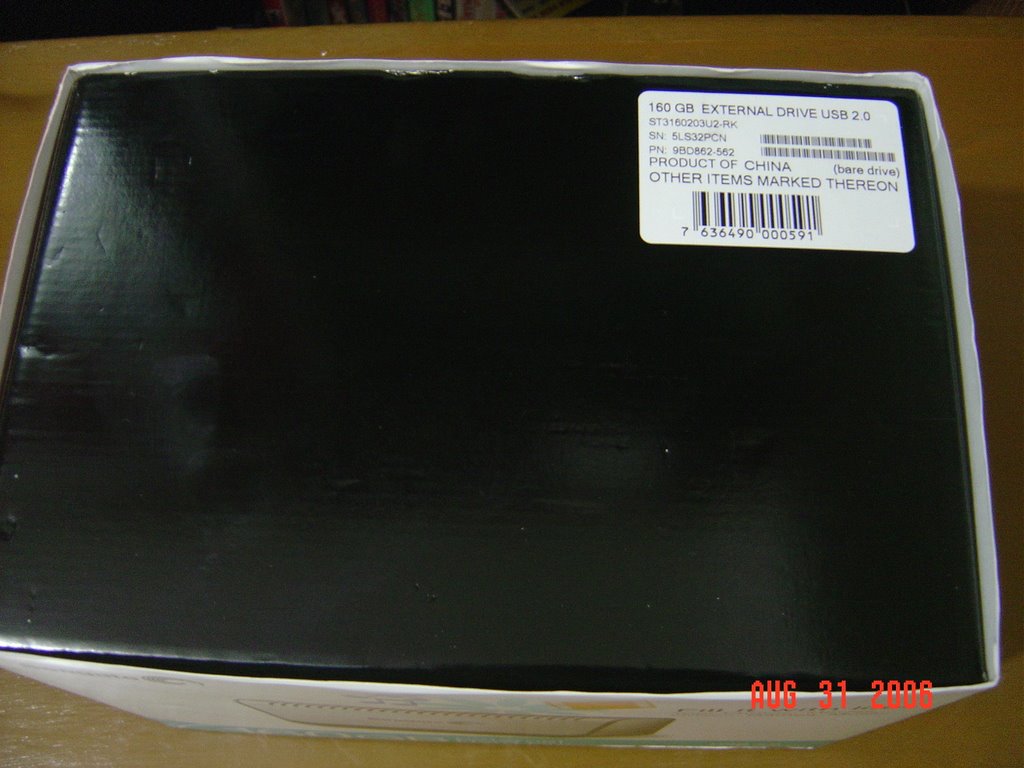
This is supposedly the top, but when you remove that outer labeled portion, this part becomes the side.
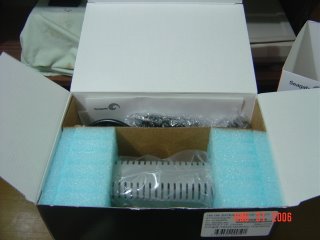
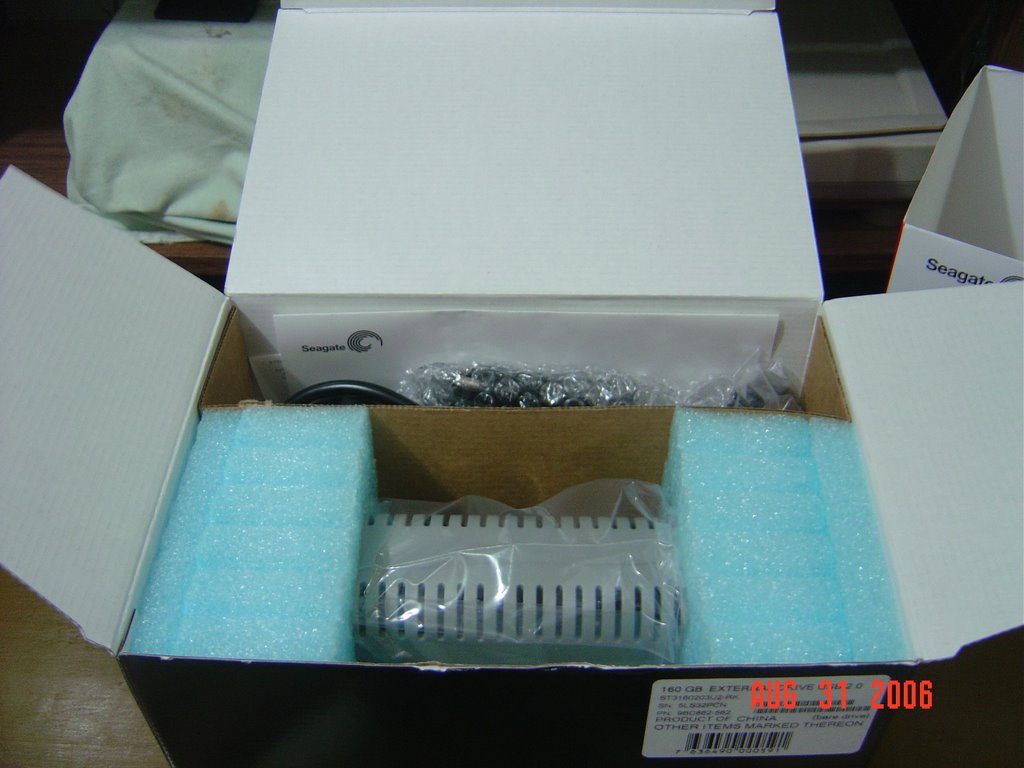
When the top is opened, there are two chambers. The smaller compartment holds the cables, and paper instructions while the bigger portion holds the drive itself.
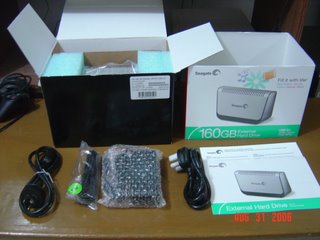
Here all the contents of the smaller chamber is laid out. There are two (2) kinds of power cable, one USB cable and one power-brick. Then of course the papers.
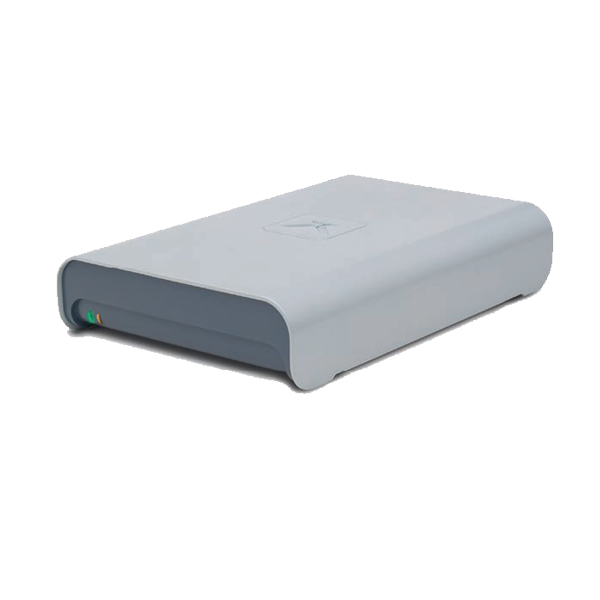
This is the front...er...the side where the label is. See those slots? You can see the 3.5" hard drive positioned on the side. Underneath are some screws which I guess will remove that grey cover for future "upgrades".
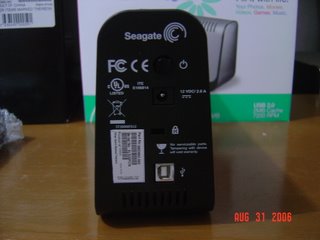
This is the "control panel". There is one power button, one slot for the USB cable and one socket for the power brick.

Tuesday, August 22, 2006

Irritating 3G Signal

3G technology is a welcome thought to me, being an early adapter, I consider emerging technologies as the way of the future. That's why I was so delighted to see a 3G signal here in our place. But alas, the signal now is more of an irritant than an advantage. Calling, even simple texting is very difficult when I'm between a GSM network and a 3G network. I hope Globe fix this problem soon! I can only hope.

Monday, August 21, 2006

iCal Works Finally!!!!

Finally after 5 months of having my iBook, I was able to make iCal work!

The problem started after I synchronized my Palm handheld with the iBook. When I start iCal, it would start to hang and eventually close. I kept on looking for ways to go around it but to no avail.

The other day, I decided to delete the data in the folders, but for some wierd thing, the data kept on coming back even after dragging all the folders of data into the trash bin and after a few seconds it keeps on coming back. Then I decided to experiment, I deleted one by one the iCal files from every folder in it. Finally it's all gone and I'm using it with a new clean slate.

Saturday, August 19, 2006

Palm to release new Smartphone on September in Europe

A Palm spokesman was quoted to have said that the PDA maker is set to release their new Treo Smartphone in Europe this September.

In an effort to catch up with the two other leading smartphone manufacturers Nokia and SonyEricsson, Palm has announced that it will release it's latest smartphone on September.

The Treo Handheld has been the top selling PDA-phone combo has 2 variants at the present, the Treo 700w is running Windows Mobile 5 and another is the Treo 700p which runs the classic but aging Palm OS 5.

Friday, August 18, 2006

Windows Live Writer (Beta) bug #1

Ok, since Blogger doesn't have their own stand-alone Blogger Writer other than thru email or thru their web interface, I'm using Windows Live Writer (Beta) instead. As I've said the other day, it works, well, for simple text that is. You see, this Windows Live Writer (Beta) is marketed as a WYSWYG editor, meaning, "what you see is what you get", thus if I understand it right, I can write text and add pictures at the same time, then just click on the publish button and that's about it. But I guess I expected too much, you see this is still in Beta and the first bug that I encountered is, well, I can't publish if my blog has pictures inserted in it. I guess, if I need to add pictures, well, again, I have to open my web browser and go to Blogger's page and add the picture from there. Hohum!!!!

Google Desktop part 2

I installed Google Desktop 2 today, this is the 2nd time that I installed Google Desktop in my system. The reason why I installed it (again) was simply because I want to check out Google's Gadget. Hoping that I will be able to find what I can't with Yahoo! Widgets. But alas, I was mistaken, not only did I not find what I was looking for, Yahoo! Widgets are still the best looking ones out there. I can't even find a better alternative Blogging input for my Blogger accounts, not even from Google (who owns Blogger just in case you don't know). 

Wednesday, August 16, 2006

Windows Live Writer (Beta) Works

Ok, after my test blog using this Windows Live Writer (Beta) and hey, it works. What is nice about this application is that it directly publishes the blog into the server and what it looks like is exactly how the blog looks like including the site template. I will be experimenting next time to post with pictures as this application promises WYSWYG editing.

Windows Live Writer (Beta)

Ok, I've read about this application yesterday but only decided to download it today. What interests me is how it will publish my blogs straight into Blogger considering this is from Microsoft.

Globelines Broadband Speed Upgarde


Just this August, Globelines upped the speed of my DSL connection from 768kbps to 1.2 Mbps, although I hardly notice it since I only get 60% of the supposed speed. Nonetheless, I appreciate the speed upgrade. Then again, what I've noticed is the change in their branding of their wired broadband, from Globelines Broadband to Globe Broadband. I wonder what'll be their plans with it?

Blogger Beta

Today I tried to switch to the new Blogger Beta (though to tell the truth, I don't know what's in the new Blogger), but it won't let me. I guess, I'll have to stay with the old UI 'til they decide to switch all the users, 'coz for now, according to Blogger, only a limited number of users are being migrated.

Tuesday, August 08, 2006

The SONY MYLO wireless device

sonymylo.jpg
I remember SONY tagging their CLIE handhelds as part of their MY Life On-line series. Now it seems that they're bringing it back, but this time, as an independent wireless device similar to their UX50 (which is also a reincarnation of a CLIE model) but leaner. It's got Google and Google Talk, Yahoo Messenger, SKYPE and Opera web browser but no cellular connectivity, only WiFi. It can play MP3s and can even share music wirelessly to other MYLO owners in the area.

The mylo has 1GB of flash memory, backed by a Memory Stick Pro Duo slot. Its screen is a 320 by 240 pixel 2.4-inch LCD. It'll retail for $350 when it hits the shelves in September.

Now I'm getting excited and confused. I was eyeing on the Nokia E61 to be my "convergent" device but I guess I'm only after the WiFi connectivity that the E61 offers. That way I could walk around the house without lugging my notebook, just to chat with friends online. Well, I guess it's anything goes for me.

Sony Mylo: Media Player With WiFi, Skype, Browser, and Messaging - Gizmodo

Friday, August 04, 2006

Jabra 330 for P1990.00 ONLY!!!

Hey, not only does Jabra comes out with functional bluetooth headsets, now, the prices are falling!!!! I jst read from an ad in a broadsheet that it's Jabra 330 model is only P1990.00! Heck if only my Jabra 265 has ran out of juice and had it stuck it's feet up in the air, I would right away grab one for my own again hehehehe.

Friday, July 28, 2006

Surprise! Free Wifi

Whenever I have work in Makati, I would always spend my spare time in Coffee Bean and Tea Leaf at the Convergys Bldg., and use up my monthly allocation of my WorldPass account, then today, I decided to wait for my time at the admin office. When I opened my notebook to browse on my lectures, lo and behold, the airport signal at the top portion of my notebook has 3 bars! And my widget made it's usual sound when ever it has updated it's content. Surprise, surprise, there is a Linksys wireless network that is open to the public! So here I am typing this blog in the comfort of the Dean's office couch.

Blogged with Flock

Friday, July 21, 2006

Sony Ericsson M600 and the Nokia E61

sonyericsson-m600-00.jpgNokiae61.jpgHere I go again, I've blogged about these two phones a couple of months ago, and I might say I am very much impressed by both. Last week I was strolling in a mall and saw that the M600 is already available locally, it's P20,300.00 in that store, now I know it's price range, then in a local mac forum the Nokia E61 is running around P24,000.00. Whew very close, both has it's own identity, the M600, the minimalistic design and of course the proven SONY ERICSSION badge of flawless connectivity and synchronization with other devices, which Nokia lags far behind. While the E61 has a very compelling feature that is lacking in the M600 which is the Wi-fi capability. Only the M600 has that touch screen. Both doesn't have any camera as they are aimed for business folks, both are 3G capable and is ready to recieve (only) video calls. Of course both are expandable with their own set of minute memory cards. Then the only thing that I dislike is, their OS, both uses Symbian OS, the M600 uses the UIQ while the E61 the Symbian 90. The reason for the dislike? Well, mobile viruses that attacks this operating system. Yeah some would say that it's a small price to pay for not being to causeous in accepting unknown files. I would agree if you are 100% pathogenic for suffering Obsessive Compulsive Disorder, but for "normal" individuals, though very careful with transferred files, that accidental push on the YES button is detrimental to my P20 thousand phone. This is the same reason why I am still with Sony Ericsson phones (with the exception of the P- series), because it's immune to these malwares. Nonetheless, if I follow strict procedures, it won't be too long before I get my hands on these or at least one of these wonderful toys. There goes my savings again.

Blogged with Flock

Friday, July 07, 2006

The Recoiless Shotgun from BERRETTA

Now this is what I call a SHOTGUN! It's recoiless! Everyone knows how hard it is to fire a shotgun especially if one is not "built" for it. But with this knew gun from BERRETTA, all those recoils are a thing of the past.
baretta_xtrema2.jpg
Berretta Extrema2: In the Hands of a Master

Blogged with Flock

Thursday, July 06, 2006

Gizmodo "Face-lift"

Gizmodo has changed the design of their website and it's more clean and less cluttery (is there such a word?) than before. It's better looking with the same old very good tech news.

Gizmodo++

Blogged with Flock

Friday, June 30, 2006

iTunes updates and iPod Updater

Apple released today iTunes update 6.0.5 and iPod updater 2006-06-28, both have whopping 41.8MB and 18.9MB respectively. I've noticed that just this week, Apple has released a couple of updates both for OS X and for Quicktime. Man those downloads where big, I wonder if these were "updates" or re-download of the softwares themselves. 

Tuesday, June 27, 2006

Yahoo Messenger Exploits! I've been victimized!

yahoo_messenger_enlarged.gifA friend of mine sent me a link thru Yahoo messenger the other day. Stupid of me to try out the link, and it forwarded to a Yahoo log-in page, so with all the stupidity in the world, I entered my Yahoo log-in details, and lo and behold, after a couple of days, I can't log-in to my Yahoo account, good think I was able to recover it.

Blogged with Flock

Sunday, June 25, 2006

I thought my iPod DIED!

ipod.jpgWhew, I got myself a new 5G 30GB iPod. When I plugged it in my PC, I was notified that the software needs some upgrading, so I did through the iPod updater, but after the update, my iPod suddenly gave me that "folder with an exclamation point" icon, how ever I tried with my PC and the RESTORE option in the iPod software, it doesn't work. Then I decided to try it on my Mac, whew, thank GOD the software was restored, for a minute there I thought I have a spanking new paperweight.

Blogged with Flock

Saturday, June 24, 2006

SkypeOut for FREE and IT WORKS!!!

SkypeYesterday I got an email from SKYPE telling me that they're giving me one (1) hour of free calls to ordinary phones using SKYPE. At first I was hesitant, knowing that their FREE calls are only for US to US calls, but then I thought that this is only for one hour so maybe it's true. I decided to try it this morning, I dialed my friend's number in Australia, and lo and behold, it rang. Then I hang up, decided to call my own cellular number and again, it rang. I dialed my friend's number in Singapore and when he answered I jumped to jubilation! Imagine, an hour of international calls to ordinary phone,  I don't need to wait for my friends or relatives to get online, all I have to do is, open up SKYPE and dial, it's as simple as that.

Blogged with Flock

Friday, June 23, 2006

Driv-e-mocion

Oh how I wish they have this here in the Philippines. I surely wouldn't have any problems speaking a piece of my mind to all those arrogant, ill-mannered Public Utility Vehicles.

AU-MY Innovatively Designed Products for Modern Day Living.( innovative design, modern living, gadget, bargain, best value, best price)

Blogged with Flock

White Sony Ericsson W810i

sew810iwhite.jpgThe world is dominated by blacks and whites. After the success of the Sony Ericsson Walkman-phones, SE is now out to dominate the neutral-colored phone market.

The cellphone will have the same specs and come with a grey headset and memory card. Quick refresher on the w810i specs: EDGE, 2 megapixel camera, quad-band, USB 2.0, Memory Stick Pro Duo of up to 2GB, and 22MB internal memory

Gizmodo, The Gadget Blog

Blogged with Flock

Thursday, June 22, 2006

Widsets -- Widgets for your phone

WidSets is a very simple and yet clever little service that brings information that you normally have access to over the Internet, directly to your mobile phone. It uses mini-applications called widgets that keep an eye out on updates to websites you normally visit several times a day. This is done through RSS feeds, which push information from these websites directly to your phone, whenever they are updated.

As long as your phone is JAVA enabled then you don't have to worry about it. I have tried this just today and it works, though there are only a few widgets available, but hey, in a few weeks perhaps your favorite widgets  might already be available for download. And most of all this is a FREE service.

WidSets has a useful feature called Traffic Monitor, which helps you monitor how much data WidSets is using in total and how much data is used by individual widgets. There is also a limit you can set for the data transferred by your widgets - we'll send a notification to your Widsets-widget on the mobile and let you know when the limit has been exceeded.

To get started, click the Sign Up - button on the left-hand side of the home page, fill out your personal information, email address and mobile phone number and activate the account by downloading and activating the WidSets client on your phone.

Note: WidSets does not currently work with Nextel, T-Mobile USA or BREW-enabled phones (e.g. Verizon, Alltel, U.S. Cellular), or Palm devices.

WidSets Beta

Blogged with Flock

Opera 9 is out

Opera4.jpgThe much-awaited Opera version 9 is out. With much better features than the old ones. This time it offers the "IN" these days which are the WIDGETS. What I like about Opera is the text to speech function, works best for lazy people like me.

Thursday, June 15, 2006

One Georgeous Stethoscope!!!!

Damn! I don't know if it's just me, of is this Steth a one georgeous bitch!!!! It has noise cancelling technology in it and it's made by one of the leading makers of audio products, Bang & Olufsen. Although it's battery operated, but still having one of these hanging on your neck will not just attract patients, if you know what I mean!

Wednesday, June 07, 2006

Swedish Filesharers Fight Back

In response to the closure of The Pirate Bay website, swedish hackers had defamed some Swedish government websites. Ironically, www.thepiratebay.org is up again, running on servers somewhere in Netherlands.

Tuesday, June 06, 2006

Email in the middle of the sea

As I make this email/blog I am in the middle of the sea. No I'm not on a Cruise Ship nor am I on an oil rig, it's just fortunate that as I cross the Burias Pass on a banca, I can still get a very decent signal from my mobile phone carrier Globe telecom. The wonders of technology.

Friday, June 02, 2006

Lenovo Computers are "Security Threat"

The US Department of State said earlier that the 10,000 Lenovo
computers that they have acquired will not be used for sensitive
materials as these computers can pose a security threat to the
country. It believes that Lenovo, which retained the Thinkpad brand
after it acquired it from computer maker IBM, can and might use the
computers to spy on the US government. Lenovo is partially owned by
the Chinese government. According to Microsoft officials, makers of
the Windows operating system which Lenovo uses in their computers,
Original Equipment Manufacturers (OEM) can tweak or modify their
Windows softwares to suit the manufacturers "needs". It was said the
manufacturers could hide softwares or programs within the windows
operating system.

The Pirate Bay.org Shut Down

Swedish authorities has shut down ThePirateBay.org site for reasons
related to piracy. According to the site, the raiding team cannot
tell them the reason why they have to shut down a site before any
legal debate could occur. ThePirateBay.org is a very famous site for
downloading bittorrent files.

Saturday, May 27, 2006

Sony Ericsson Phones in the Da Vinci Code Movie

At last I was able to watch the Da Vinci Code Movie last night! It's a so so movie and well, talking about it here is...well off-topic. What excited me was to see the product placements of Sony Ericsson in the movie, expecially when I saw 2 interesting phones. Robert and Captain Fasche was using a SE K600i, 3G UMTS, Msgr. Aringarosa was using a SE Z500 and then there was this guy in the bus who was using a recently-announced phone (in fact I think Sony Ericsson announced it on the day when the movie was released), it's the new walkman phone the SE W850.

Monday, May 22, 2006

Load up...Surf up at Caltex Stations

Soon access to the World Wide Web will be easier in Caltex stations as Airborne Access, the Wi-Fi provider arm of PLDT, has signed an aggreement with Chevron, the owner of Caltex stations in the Philippines. The aim is to make all the Star Mart, Caltex's convenient stores a hotspot, where anybody with a wireless capable computer, or handheld can connect and surf the net. Right now, Airborne Access is offering as low as P100 for one hour to go online.

Sunday, May 21, 2006

3G plus Walkman with the new Sony Ericsson W850


Sony Ericsson is really on the roll with another Walkman phone. The W850, it's a slider, a music player, a mobile phone with UMTS and tri-band capacity, a 2.0 megapixel camera with a lot more extras. It has gone away with the dust-collecting joy stick and has redesigned the d-pad.

SONY ERICSSON release a SPORTY CLAMSHELL


Sony Ericsson released the W710, a clamshell that sports a rugged appearance. It's another walkman phone so it's cool hehehe, with EDGE, Memory Stick micro for expansion and 2.0 megapixek camera, not yet sure if it will support the A2DP Bluetooth stereo.

NO Laptop on your LAP

With the complete transition of Apple computers to the Intel platform, they now have to address the most pressing problem that have been giving high end Mac owners the heat. I'm talking about the heat problems of the high end PowerBooks and now both the MacBookPro and the MacBook is experiencing. In fact the heating is so extensive that Apple has included a warning in the Manuals of the said new Macs. Even the "laptop" word has not been mentioned in the manuals. So if I were you, always be ready with the ice packs and burn creams, because, the lap-burns will surely set you out from the rest.

Thursday, May 18, 2006

Palm Treo 700p


Palm released the newest addition to the Treo Line, the Treo 700p. It follows the launching of the Treo 700w which runs Windows Mobile. This new Treo is Palm's commitment to the Palm OS, to the simplicity of the OS, incidentally, this is also Palm's way recognizing the niche group that is loyal to the Palm OS. Even with the release of the Windows Mobile version, which catered mostly to the corporate/enterprise market maily because of it's capability to work with Microsoft servers used by these big corporations, the Palm OS version caters to the individual users who wants ease of use and simplicity on their smartphones. The Treo 700p runs on Palm OS 5.4.9 on 312MHz Intel XScale processor with a total 128MB total non-volatile memory (60MB user accessible), with the following features, EVDO high speed connection, Bluetooth, 1.3 megapixel camera and exapansion through an SD slot. The screen is a high resolution 320x320 which is slightly better than the Windows counterpart. 

Tuesday, May 16, 2006

Hello MacBook


Apple today announced their latest addition to their line of portable computers, the MacBook. It's the replacement to the aging iBook, and this time, it comes in two colors, a white and black one. It only comes in one screen size which is 13.1 inches, has all the bells and whistle of a new generation Mac such as, an Intel Dual Core processor, glossy screen, MagSafe power connector, built-in iSight, Bluetooth, Airport Extreme, Front Row remote and of course Tiger OS.

SONY VAIO UX Micro PC


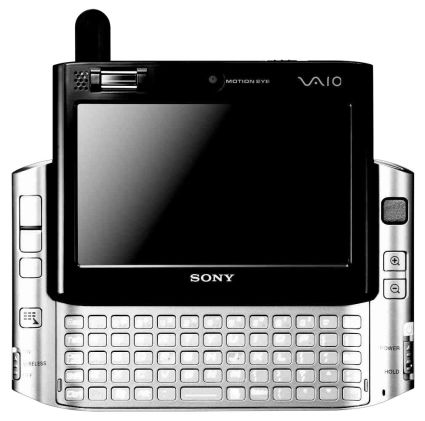
Reminiscent of the SONY Clie UX50, a new super-ultra portable was released by the consumer electronics company, SONY. With the advent of UMPC from SAMSUNG ang other companies, SONY released the VAIIO UX Micro PC, as I've said, looks a lot like the Clie UX50, but instead of running PalmOS as it's operating system, the UX runs a full version of Windows XP Professional. Even with it's minute size, SONY was able to squeeze in, a Core Solo processor as the heart of the hardware. Other features include Bluetooth, WiFi, WWAN (EDGE upgrade) a biometric scanner (fingerprint), front and rear cameras, VGA out, Firewire, Ethernet port and 3 USB 2.0 with AV out. Will come out in July for $1800. Whew who'd buy a machine that expensive!

Friday, May 12, 2006

Universal Binary Skype is out

Now Intel-Mac users will not have trouble with their Skype using much of the resources thru Rosetta, Skype has released version 1.4.0.49 which will run natively on both PowerPC and Intel processors. 

Thursday, May 11, 2006

SMART's DATA charging is BETTER

Smart's charges for data at P10 for every 30 minutes is way better than what Globe is charging at the moment. Globe still uses the old GPRS charges for data at P0.25/kb and from it you'll see that globe should start thinking of adjusting their rates. Smart's offer is way like-able especially to heavy data users. This price scheme is at par with the prices offered by hotspots operators. Although it's going to be disadvantageous to those who's been used to using their mobile phones as internet messaging devices. Now they can't just leave their handsets connected 'coz if they do, they'll surely accumulate a lot of charges, and for prepaid users, then say goodbye to your load in a jiffy! Now, where did I put my SMART SIM?

Wednesday, May 10, 2006

Streaming iTunes music around the house

I am currently listening on my Apple iBook here in my room to songs in my desktop PC which is in the basement. My room is on the 2nd floor. Thanks to the power of wireless technology, I don't have to store music files in my trusty notebook, and instead, when I feel like it, just access the music files in my desktop thru iTunes. The experience is flawless, and it's just like the files are in my notebook pc, and with this technology, I could go around the house and still access the files. In fact, if my wife decides to listen to other songs in my music folder on another notebook pc (VAIO in this case), all she has to do is open up iTunes in the VAIO notebook and access the same files and play different songs from what I'm currently listening to. Pretty neat if you ask me.

Tuesday, May 09, 2006

SONY launches the PS3

SONY today launched the PS3 and will be available by November of this year. The specs are fascinating but the price is disappointing. It will come in two varieties, one with a 60GB HDD and another with a measley 20GB HDD. The "cheaper" one lacks Wi-Fi, a memory card reader and HDMI out, ouch! Prices would be $600 for the "complete" version while $500 for the "cheaper" version. SONY decided to change the "boomerang" controller and stayed with the "old" playstation controller design with some upgrades such as: X,Y,Z, pitch, roll, yaw and lateral motion detection, Bluetooth for wireless capabilities. Unfortunately, it will not have the "force-feedback" or vibration functionality seen in the Dual Shock controllers due to some "interference" with the motion sensors.

"World's Thinnest" phone from Samsung

Motorola's RAZR has been stripped off the title as the World's thinnest phone by Samsung with it's SGH-X820, which is about 6.9mm think (or should I say thin?). It's as thin as the iPod nano. Though thin, it packs a lot on feature, like the 2 MP camera, MP3 playback, Bluetooth and the now-becoming-a-standard on Samsung phones the TV-out port. I saw a lady the other day sporting a Samsung phone (not this one though) and I thought it was already pretty thin, so I thought. Anyways, I'm very interested in getting one, what holds me back is the UI of the phones, oh and it's too bright for me, anyways, maybe, just for the sake of owning one, why not.

Why the iPod is still the Best Portable Media Player for me.

A lot of Portable Media Players out there are trying their best to beat the iPod from it's current place as the No. 1 Music Player in the world but always falls short. Why? Well, aside from the stigma that the iPod gives the owner and the closest that it gives the owner to the prestige that owning an Apple product gives, practical-wise, it all boils down to the ease of use of the system. I have yet to see a portable music player that can compare with the iPod's ease of use. No minute buttons, no tiny screen, it's simple and it's simple. Want to choose a song? Just thumb through the playlist, and click the center button and the music is playing. Still not satisfied, even when in the pocket, one could maneuver to the next song or put the whole system in stand-by with just one hand even without looking at it. That's how easy it is.

Notebook PC Battery life

A lot of new "affordable" notebook PC's are popping-up in the market today, though the specs of these computers are comparable with most high-end ones, most have one drawback in my opinion, the battery life. Most of them has only 2 hours operating time. What do you think you could do in 2 hours time? Just when you're getting to enjoy your work then poof, there goes the low battery alarm. It's unfortunate that a lot of establishments are becoming hotspots, meaning the use of a mobile computer has more meaning in these times. 

Sunday, May 07, 2006

"3" logo on Globe's Phone

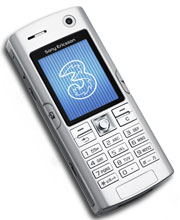
Looks like Globe messed up when they were looking for a picture of one of their 3G capable Sony Ericsson phones. At this site, you'll see that the Sony Ericsson K608 has 3's logo right smack on the screen.

Globe 3G video call -- it works!

It's been almost a week since Globe launched their 3G with HSDPA service and I was able to test the video call part just today. The call went flawlessly, I pulled up the number of my wife on my Sony Ericsson K600i, pressed call and it got connected. The good thing is, I didn't have to use any wired or wireless headset because the voice quality was great! The video was smooth but a bit pixelated though features on my wife's face was recognizeable. The only drawback is, the signal is not a wide as SMART'S yet. Oh well, I will just have to wait for it to widen.

Opera Browser's Text to Voice is very useful!


While writing this blog, I am listening to an article from Inq7.net. Yup, listening, I am using Opera Browser's built-in text to voice feature. It's very easy to use, open a web page, highlight the sentence or paragraph you want voiced out and right click, choose speak and it will read out to you the articles. Though monotonous, the voice is ok, and understandable. Not like other text to voice features of other softwares, this one simply works. One good way to multi-task if you're going to ask me.

The New Mac Commercials


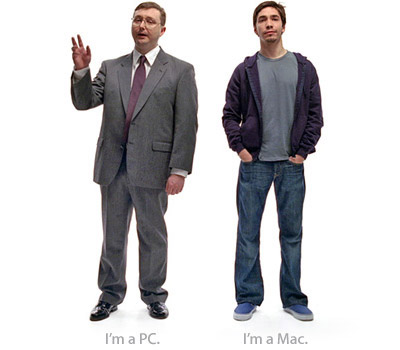
The New Mac Commercials are hilarious! It's straight to the point, no going aroung bushes (somehow I find that fascinating). Simply put, I'm a PC and here's what I can do, and I'm a Mac and here's what I can do. But then again, it appeals to the young generation, to individual users, do you think it will appeal to corporate/enterprise clients? Well, perhaps not, but then again, the ones hadling IT in the corporate world are in the younger generation, so, it's a bit logical, since these are the people who's going to work with these machines, then those in the higher ups would be listening to the IT guy's recommendation on what to get. And since the Mac is one stable machine, well, you get what I mean!

Firefox vs. Camino


I may not be a Computer Engineer nor a Software Developer, but I don't need to be one to notice the difference in loading time and refresh times between Firefox and Camino in my iBook. This I know, that both are developed by the same people from Mozilla.org. I wonder why? Well, if you like you can try it yourself. Since I've downloaded both, I've been using Camino more often than Firefox, but then again, I'm using both more often than Safari, OS X's native browser. Then again, I would rather use Safari than Internet Explorer anytime, not that I'm afrain someone will go in my iBook maliciously, but one can never be too careful.

Saturday, May 06, 2006

Rush and get yourself a Mac


There is a very reliable rumor that Apple will be releasing the MacBook, the replacement for the iBook this coming May 9, 2006. This means that distributors and resellers alike are most likely to drop their prices on their current inventories. Local reseller Ynzal Marketing is holding a SUMMER DEAL PROMO, where a 12" iBook G4 which normally sells from P61,980 can be acquired for as low as P53,980 and it comes with FREE Airborne Access account. Hurry up and grab one Mac now, oh don't worry, it's not as difficult as it looks, it's actually pretty easy as long as you don't scare yourself that much, heck I don't think one would get scared with the eye-candy looks of the Mac OS X. Anyways, you can reach Ynzal thru telephone numbers: 413-7575 or 4137578-79

Flyakite OSx


I've installed Flyakit OSX in my notebook PC and it's great. Although there will be some Mac enthusiasts that would give bad comments on one pretending to ba another, heck I don't care, as long as I'm liking what I'm seeing. Anyways, Flyakite OSX is an emulation software that will change the look and feel of a Windows machine into more like a Mac machine. Pretty helpful to those who are planning to shift to the Mac, but still not ready to plunge on the new system yet. It will also add fun to those who are not familiar with the software and seeing something not windows on a supposed windows machine. So far, even up to the startup and beachball icon is or should I say looks authentic. Try it out, you can always revert back to the windows look anytime, just uninstall the application and you're back to the windows world. Oh before I forget, remember that this is just an emulation software, meaning, it just coats the windows better looking icons and whatnot, meaning, it's still windows at the bottom and that it's still prone to virus and worm attacks. Enjoy and have fun!

Friday, May 05, 2006

Opera Mini 2.0


Opera Mini 2.0 is out. In fact I've already downloaded and installed it in my phone. Ever since Opera released the Mini version of their famous Opera browser, I've used it most of the times instead of the WAP browser of my SE K600i. What I liked about the Opera Mini is the speed and how it renders HTML web pages into something that is viewable in my phone's small screen. Because the rendering/conversion happens in the Opera servers, it uses very little of my phone's resources and the file size of the webpages are reduced thus minimizing my GPRS charges. Pretty cool huh! The new version corrects the previous flaw, unable to download files from any website, now, one can download and store the files in any JAVA capable phone.